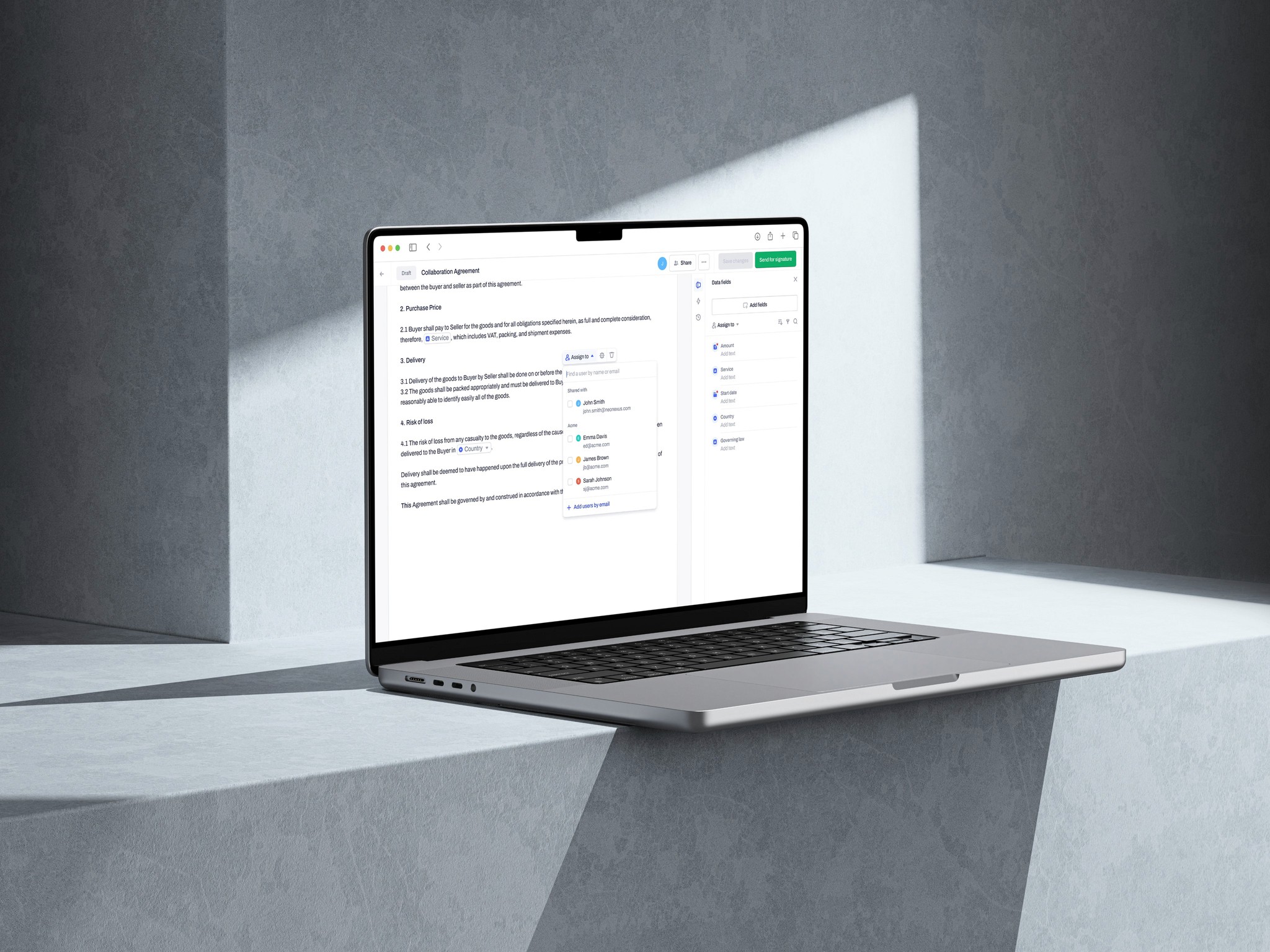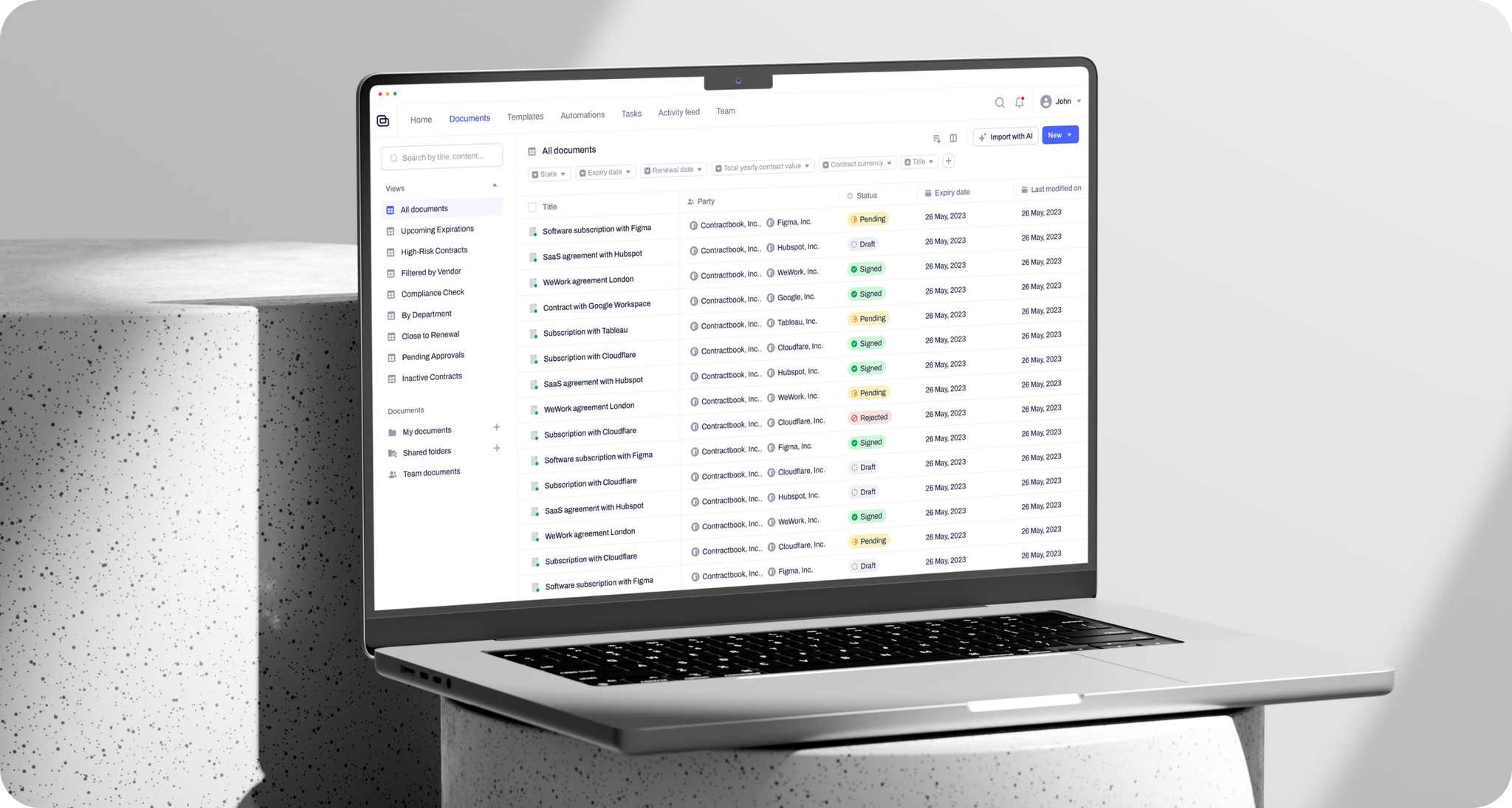
Contractbook is a digital platform for managing contracts, offering tools for creation, collaboration, signing, and storage to streamline workflows.
Product Design
User Research
UI/UX Design
Design System
Cross-Functional Team
The challenge
While Contractbook was a powerful tool, initial research revealed clear struggles that users faced in their day-to-day work:
Contracts were hard to find
Documents were scattered across emails, folders, or devices, turning retrieval into a frustrating scavenger hunt.
Key details were buried
Extracting information like deadlines or payment terms was time-consuming, hindering decision-making.
Confusion over collaboration
Uncertainty around edit visibility and team workflows led to inefficiencies.
Deadline tracking was overwhelming
Managing contract timelines felt chaotic without clear tools for organization.
The interface didn’t fit every user’s needs
The platform didn't adapt well to diverse user approaches to contracts.
The challenge
While Contractbook was a powerful tool, initial research revealed clear struggles that users faced in their day-to-day work:
Contracts were hard to find
Documents were scattered across emails, folders, or devices, turning retrieval into a frustrating scavenger hunt.
Key details were buried
Extracting information like deadlines or payment terms was time-consuming, hindering decision-making.
Confusion over collaboration
Uncertainty around edit visibility and team workflows led to inefficiencies.
Deadline tracking was overwhelming
Managing contract timelines felt chaotic without clear tools for organization.
The interface didn’t fit every user’s needs
The platform didn't adapt well to diverse user approaches to contracts.
The challenge
While Contractbook was a powerful tool, initial research revealed clear struggles that users faced in their day-to-day work:
Contracts were hard to find
Documents were scattered across emails, folders, or devices, turning retrieval into a frustrating scavenger hunt.
Key details were buried
Extracting information like deadlines or payment terms was time-consuming, hindering decision-making.
Confusion over collaboration
Uncertainty around edit visibility and team workflows led to inefficiencies.
Deadline tracking was overwhelming
Managing contract timelines felt chaotic without clear tools for organization.
The interface didn’t fit every user’s needs
The platform didn't adapt well to diverse user approaches to contracts.
My Role
In this project, I worked alongside Lead Product Designer, assisting him throughout the design process. I handled product design as part of a cross-functional team, collaborating with the product manager, tech lead, and developers to develop user-centered solutions.
My Role
In this project, I worked alongside Lead Product Designer, assisting him throughout the design process. I handled product design as part of a cross-functional team, collaborating with the product manager, tech lead, and developers to develop user-centered solutions.
My Role
In this project, I worked alongside Lead Product Designer, assisting him throughout the design process. I handled product design as part of a cross-functional team, collaborating with the product manager, tech lead, and developers to develop user-centered solutions.
The process
We applied a continuous discovery approach alongside Design Thinking to ensure we met user needs and addressed project goals effectively.
In the research and define phases, we conducted user research to understand their pain points. The insights gathered helped clarify the problem statements and pinpoint key user needs, which guided us in setting clear project objectives. Specifically, the goal was to enable users to find, organize, collaborate, and gain insights from all their contracts in one centralized location.
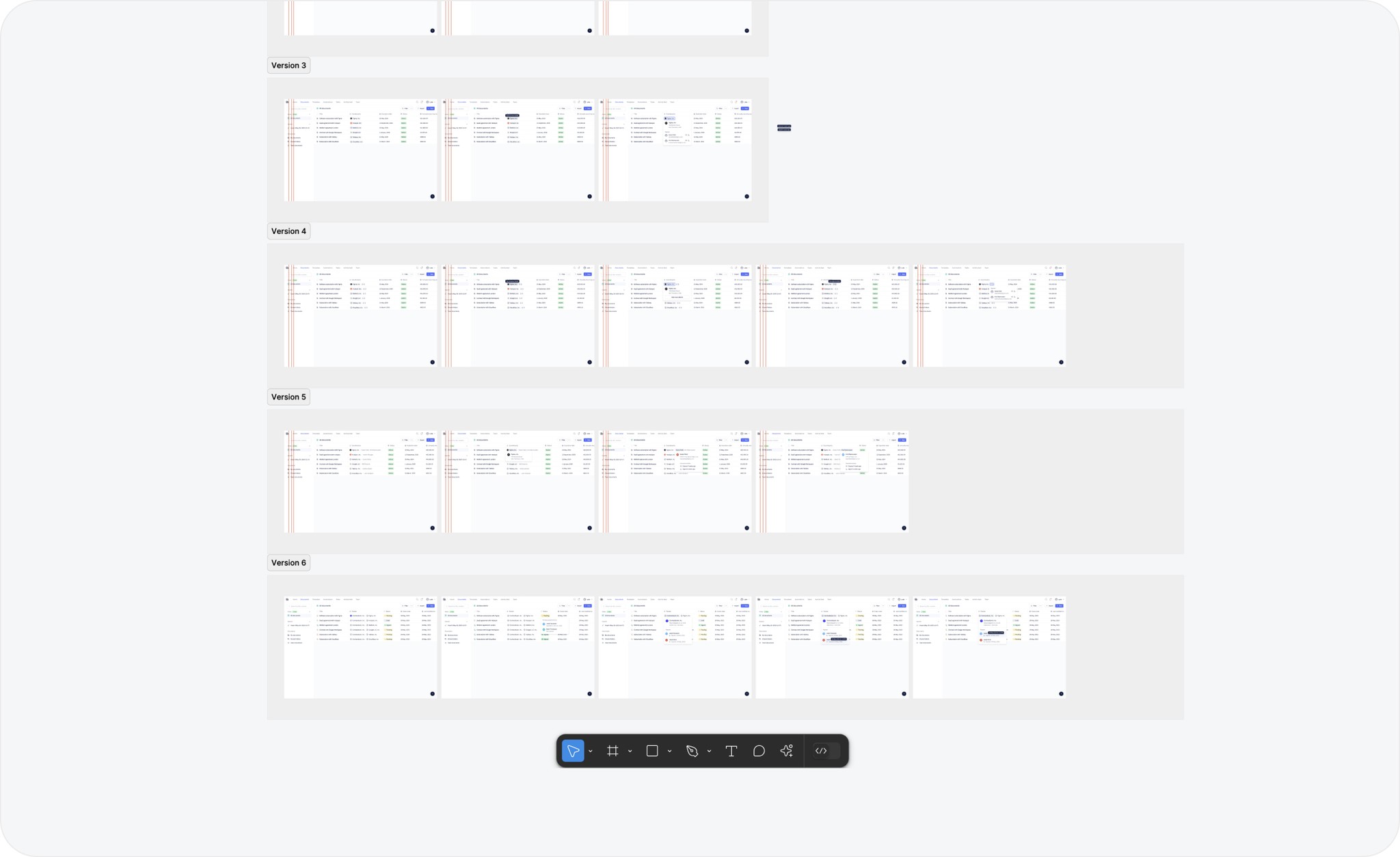
During the ideation phase, we explored a range of potential solutions to the problems we identified. Throughout this stage, we continuously validated our ideas by testing prototypes with users, gathering feedback to ensure we were on the right track.
The process
We applied a continuous discovery approach alongside Design Thinking to ensure we met user needs and addressed project goals effectively.
In the research and define phases, we conducted user research to understand their pain points. The insights gathered helped clarify the problem statements and pinpoint key user needs, which guided us in setting clear project objectives. Specifically, the goal was to enable users to find, organize, collaborate, and gain insights from all their contracts in one centralized location.
During the ideation phase, we explored a range of potential solutions to the problems we identified. Throughout this stage, we continuously validated our ideas by testing prototypes with users, gathering feedback to ensure we were on the right track.
The process
We applied a continuous discovery approach alongside Design Thinking to ensure we met user needs and addressed project goals effectively.
In the research and define phases, we conducted user research to understand their pain points. The insights gathered helped clarify the problem statements and pinpoint key user needs, which guided us in setting clear project objectives. Specifically, the goal was to enable users to find, organize, collaborate, and gain insights from all their contracts in one centralized location.
During the ideation phase, we explored a range of potential solutions to the problems we identified. Throughout this stage, we continuously validated our ideas by testing prototypes with users, gathering feedback to ensure we were on the right track.
The solution
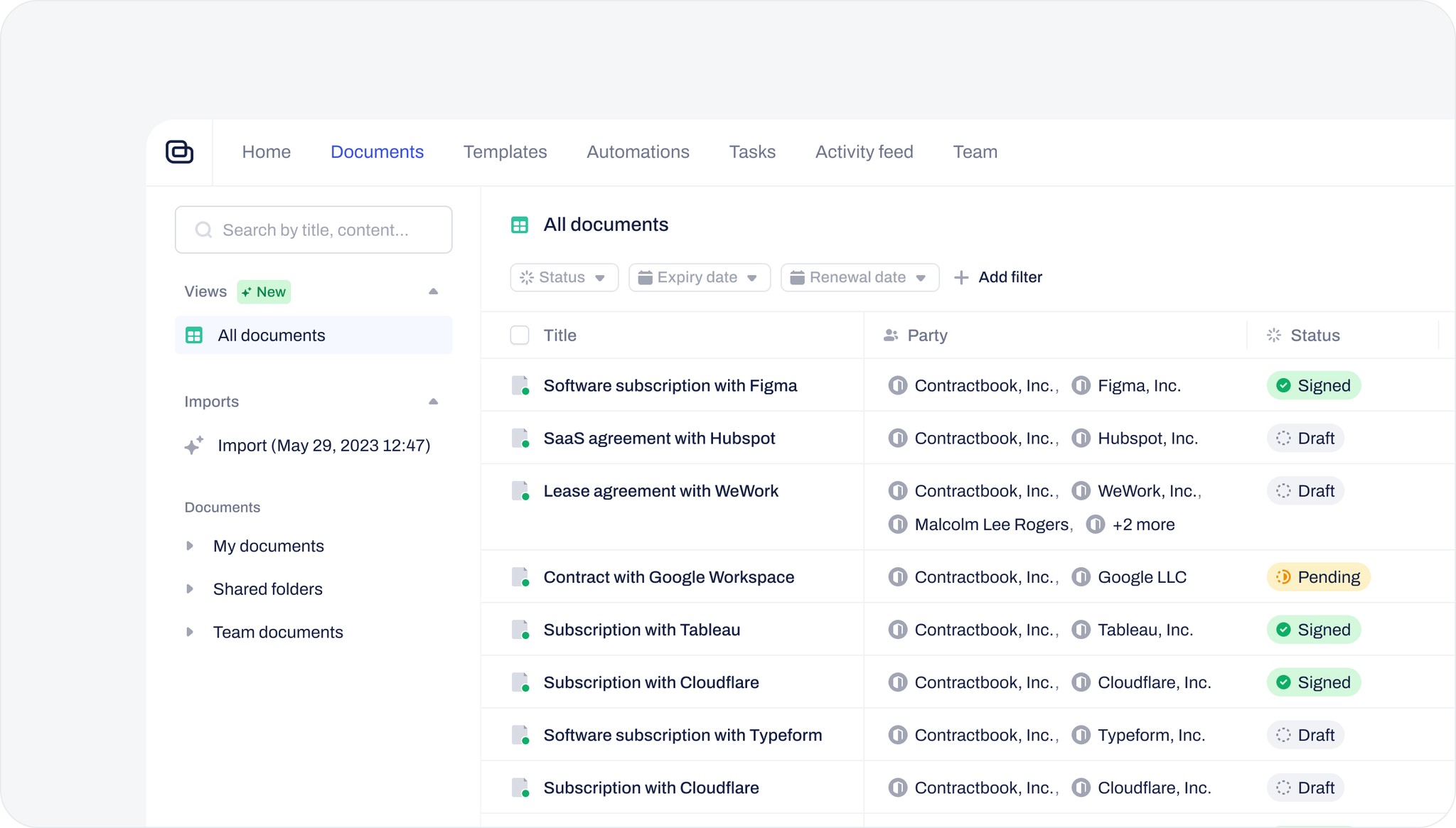
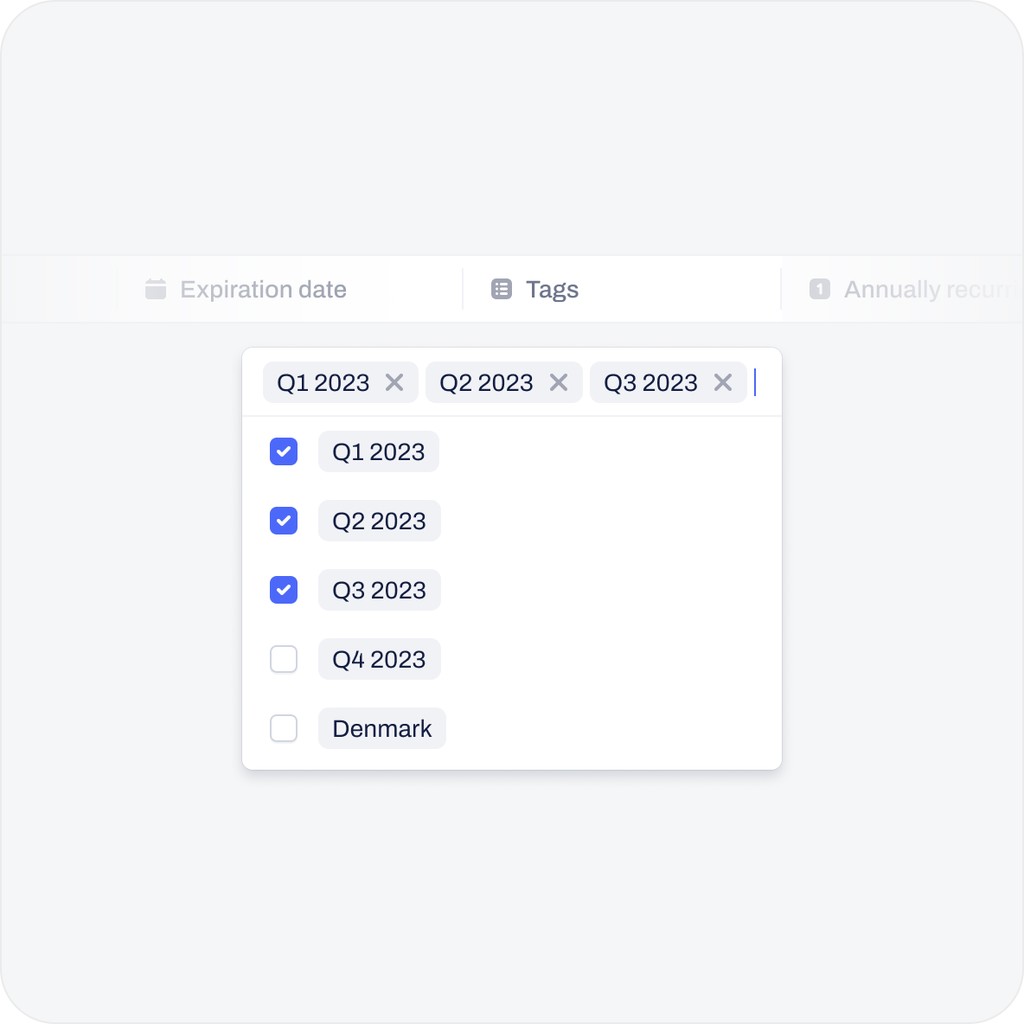
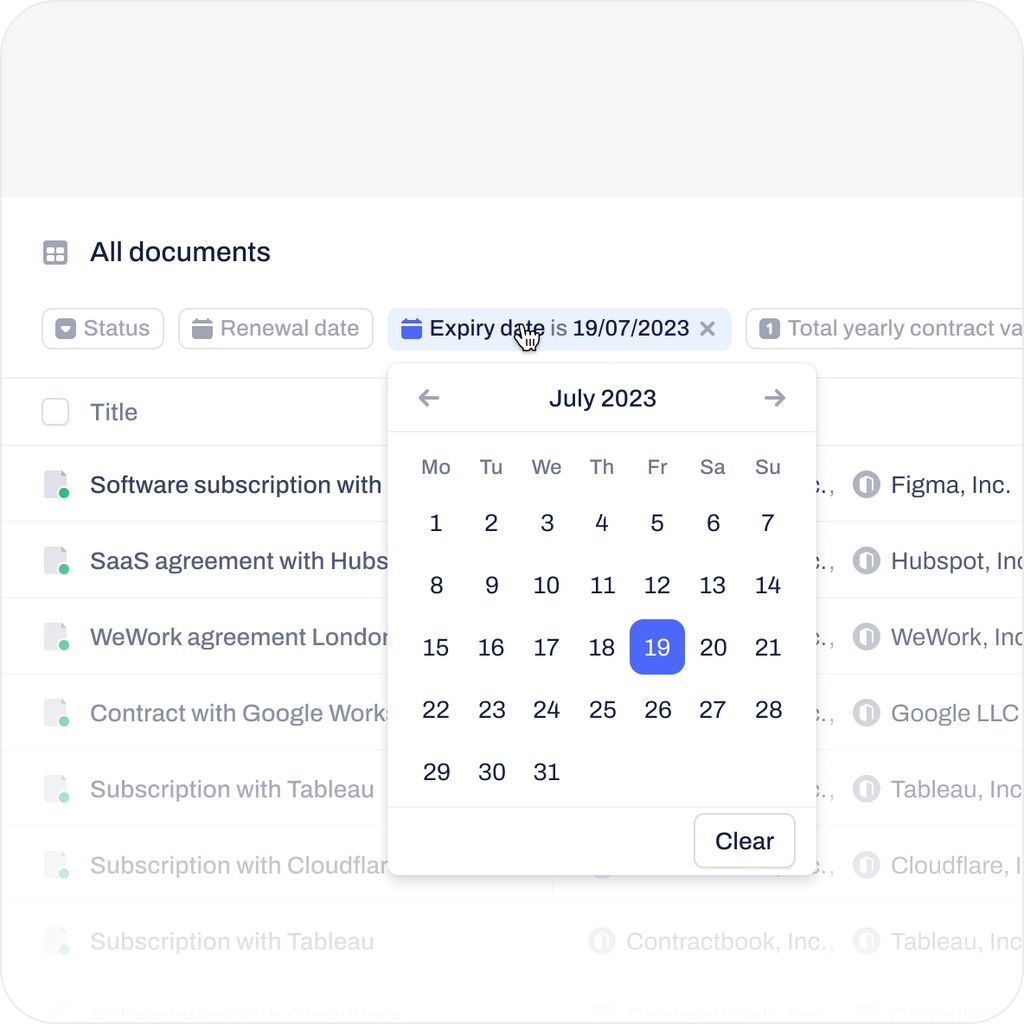
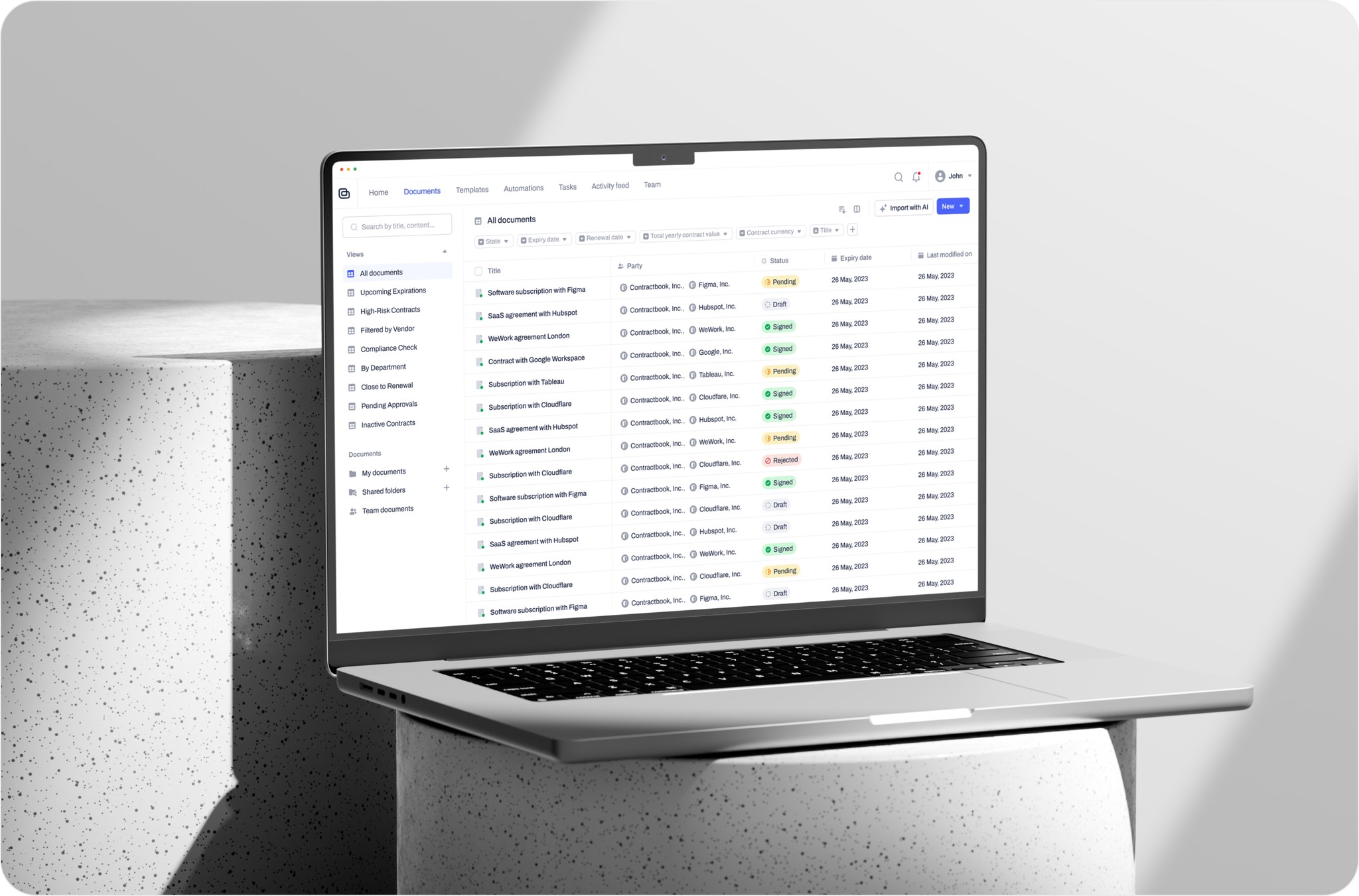
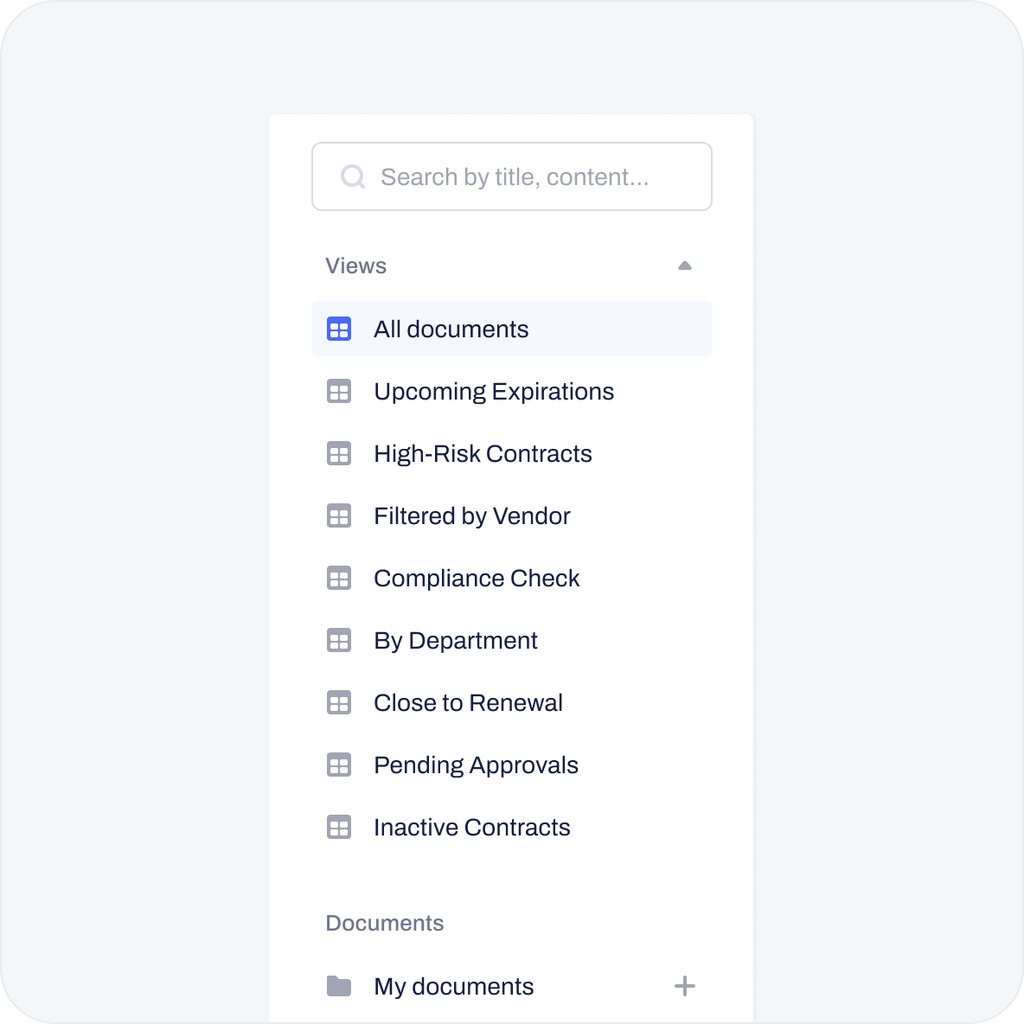
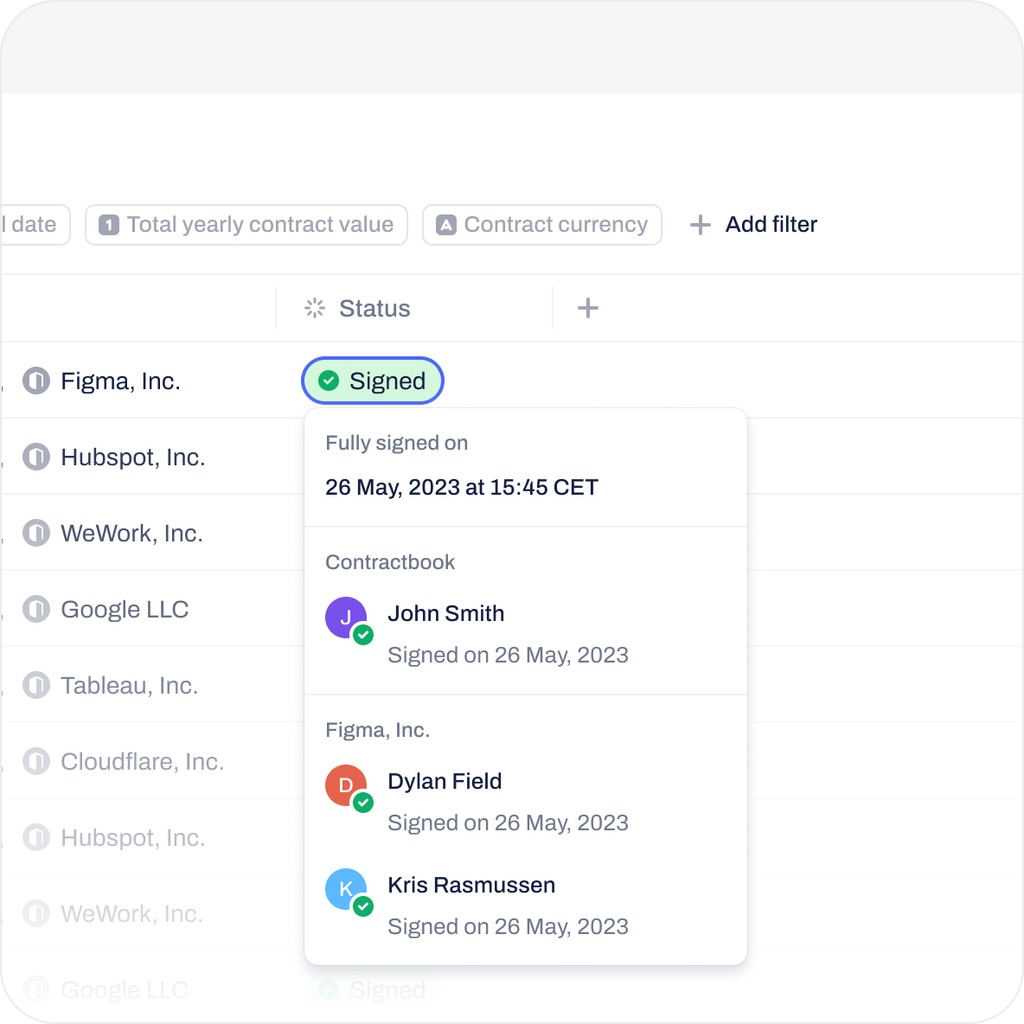
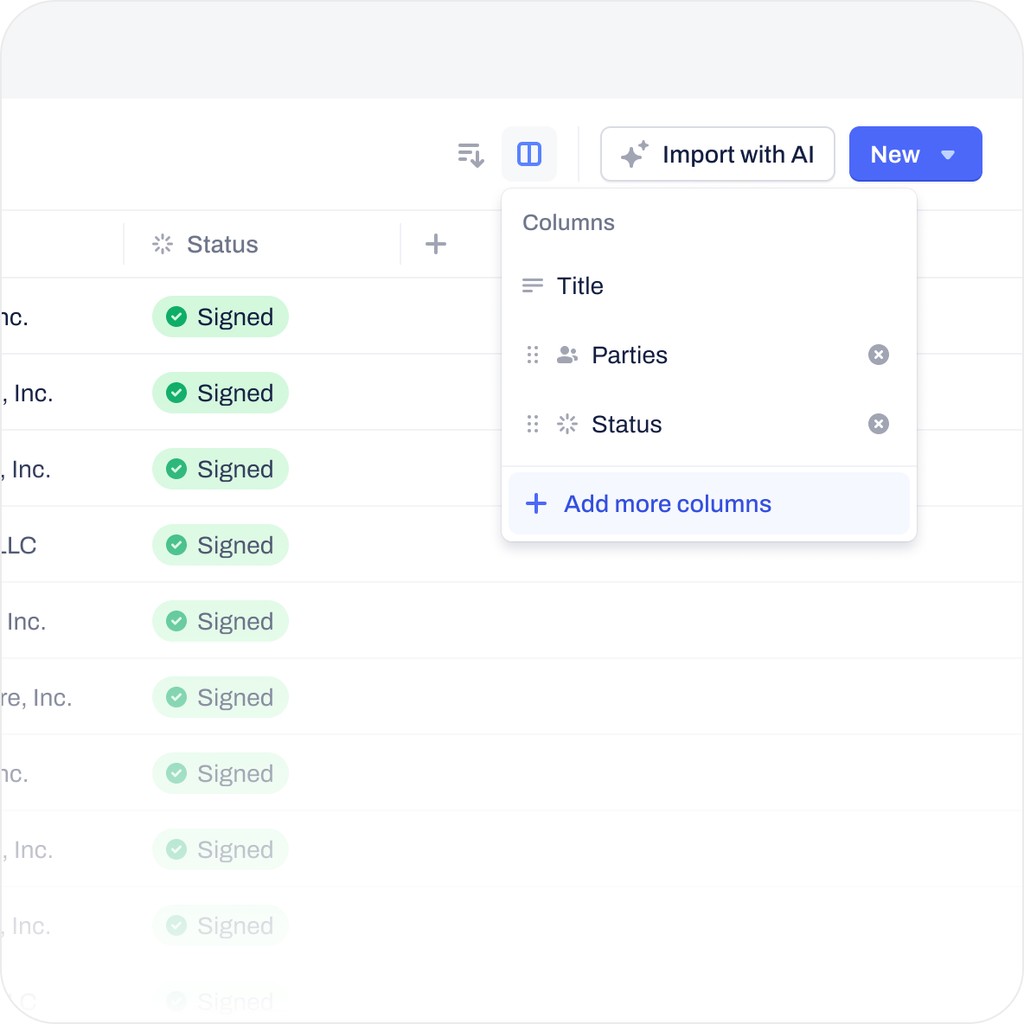
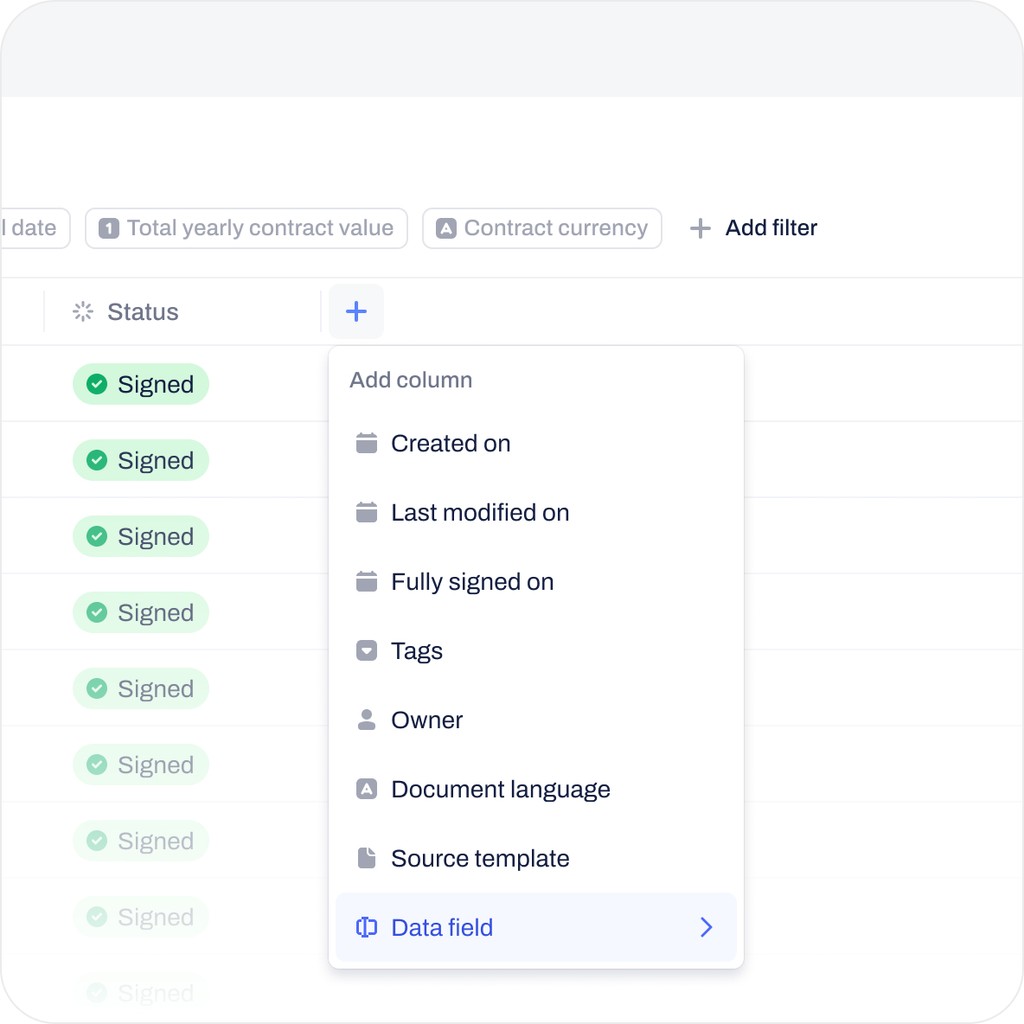
We proposed a table format to improve data searchability and contract management, making it easier for users to quickly scan and compare information. However, in the previous version, users valued viewing contract signatories, including both the company and specific signees. Displaying this data in a table format risked overwhelming them. To address this, we focused on contextual revealing of information, prioritizing key details and displaying less critical data only when necessary. We also allowed for flexibility through "Views," enabling users to save customized filter sets and table configurations. Additionally, we improved the workflow by enabling users to add tasks directly from the table, adding reminders for deadlines, and enhancing bulk actions for managing contracts. Throughout the process, we validated the design with users to ensure it met their needs and supported better decision-making.
The solution
We proposed a table format to improve data searchability and contract management, making it easier for users to quickly scan and compare information. However, in the previous version, users valued viewing contract signatories, including both the company and specific signees. Displaying this data in a table format risked overwhelming them. To address this, we focused on contextual revealing of information, prioritizing key details and displaying less critical data only when necessary. We also allowed for flexibility through "Views," enabling users to save customized filter sets and table configurations. Additionally, we improved the workflow by enabling users to add tasks directly from the table, adding reminders for deadlines, and enhancing bulk actions for managing contracts. Throughout the process, we validated the design with users to ensure it met their needs and supported better decision-making.
The solution
We proposed a table format to improve data searchability and contract management, making it easier for users to quickly scan and compare information. However, in the previous version, users valued viewing contract signatories, including both the company and specific signees. Displaying this data in a table format risked overwhelming them. To address this, we focused on contextual revealing of information, prioritizing key details and displaying less critical data only when necessary. We also allowed for flexibility through "Views," enabling users to save customized filter sets and table configurations. Additionally, we improved the workflow by enabling users to add tasks directly from the table, adding reminders for deadlines, and enhancing bulk actions for managing contracts. Throughout the process, we validated the design with users to ensure it met their needs and supported better decision-making.
Impact
The redesigned Document List page centralized contracts, making it easier to find, organize, collaborate, and gain insights in one location. With features like a tabular view, advanced filtering, and sorting, it addressed issues such as poor overview and excessive search time, reducing audit risks. The redesign also supported the AI import initiative, improving access to scattered contracts and clarifying agreements. By enhancing the ability to find, organize, and collaborate on contracts in one place, it improved user satisfaction and retention, providing a competitive edge in the market.
Impact
The redesigned Document List page centralized contracts, making it easier to find, organize, collaborate, and gain insights in one location. With features like a tabular view, advanced filtering, and sorting, it addressed issues such as poor overview and excessive search time, reducing audit risks. The redesign also supported the AI import initiative, improving access to scattered contracts and clarifying agreements. By enhancing the ability to find, organize, and collaborate on contracts in one place, it improved user satisfaction and retention, providing a competitive edge in the market.
Impact
The redesigned Document List page centralized contracts, making it easier to find, organize, collaborate, and gain insights in one location. With features like a tabular view, advanced filtering, and sorting, it addressed issues such as poor overview and excessive search time, reducing audit risks. The redesign also supported the AI import initiative, improving access to scattered contracts and clarifying agreements. By enhancing the ability to find, organize, and collaborate on contracts in one place, it improved user satisfaction and retention, providing a competitive edge in the market.